Referrals
Copy Article URL
Ovii referrals turn employees into a structured sourcing channel. Use this guide to configure the referral job board, decide whether the role carries a cash or non-cash reward, and understand how employees submit and track referrals after the job is published internally.
How referrals work in Ovii
Referral distribution in Ovii is a controlled internal sourcing channel, not just a marketing banner. When a recruiter enables the Referral Job Board for a live role, the job becomes visible in the employee referral workspace so internal employees can refer people from their network.
That distinction matters. Referral candidates usually arrive with stronger context and higher trust than cold inbound traffic, but they still enter a structured hiring flow with source tracking, stage movement, and normal evaluation standards.
- Recruiter responsibility: Enable the referral channel, define the reward model, set the deadline, and decide whether the role should be promoted internally at all.
- Employee responsibility: Browse referral-enabled jobs, decide whether the role is a fit for someone in their network, and upload the candidate resume into Ovii.
- System behavior: Only jobs with referralEnabled turned on appear in the employee referral listings, and referred candidates are tagged with the EMPLOYEE_REFERRAL source for downstream reporting.
Referral promotion is still a governed promotion channel. In the current backend flow, enabling referrals can count against plan-based promotion allowances and is tracked through audit events when it is turned on or off.
Enable the Referral Job Board for a job
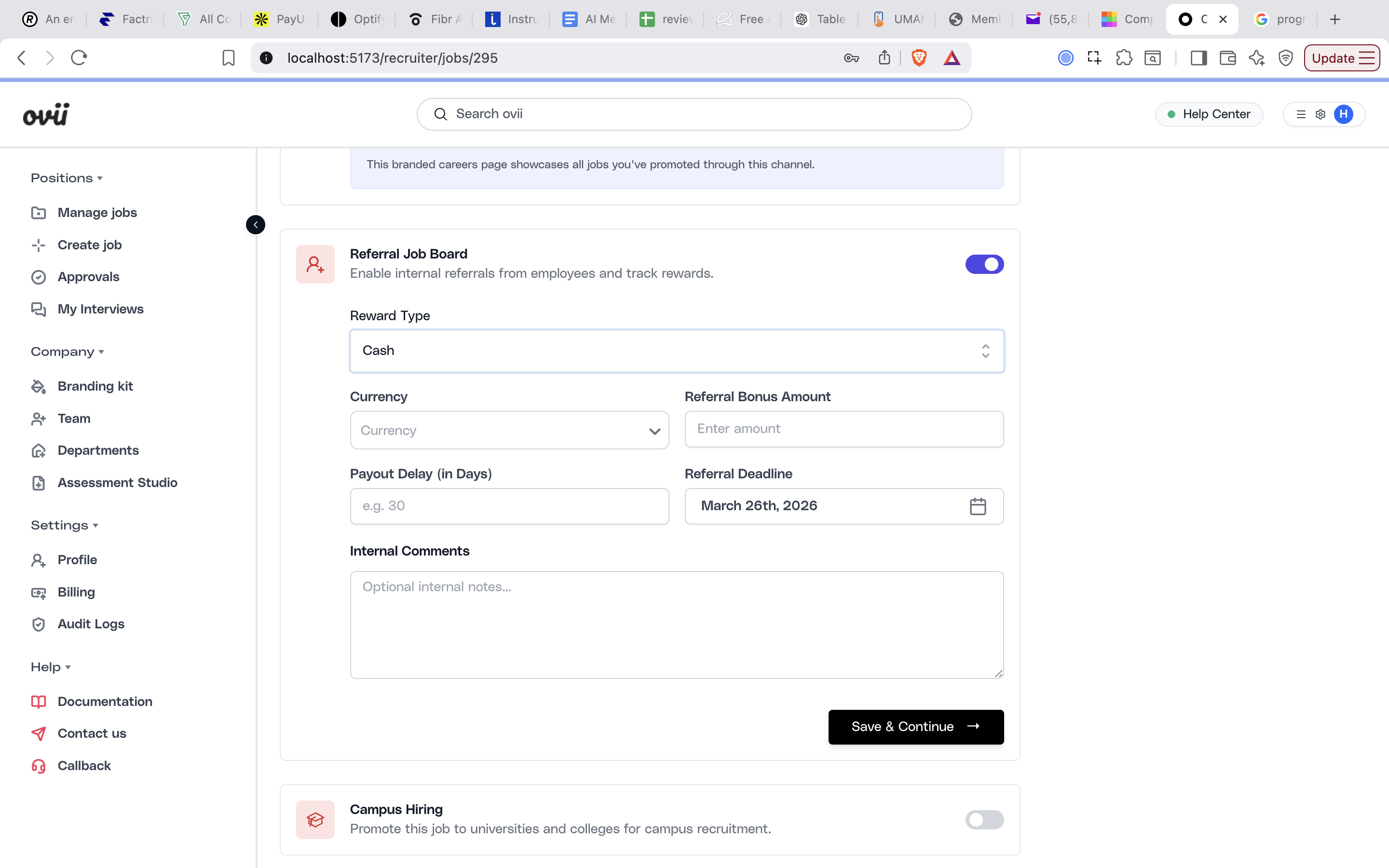
Start in the Promote Job area of the job workspace and open the Referral Job Board card. This is the control point that decides whether employees can see and act on the role from the referral side of the platform.
Turn the toggle on only after the job itself is stable enough to be explained by another person. Referral traffic works best when title, role scope, location, expectations, and application path are already clear, because employees are effectively sponsoring the opportunity with their own reputation.
Open the referral channel from the promotion workspace
In the recruiter promotion view, the Referral Job Board appears alongside other distribution channels. Enabling it makes the role eligible for internal employee referral discovery. This should usually happen after the job has been reviewed for clarity, ownership, and readiness to receive candidate resumes.
If the referral toggle is turned off later, the backend records the job as unpublished from the referral board. Use that control when a role no longer needs employee-sourced traffic or when the reward program has closed.
Choose the right reward structure
Ovii supports three referral reward modes for a job: Cash, Other, and None. The point of the reward model is not only compensation. It is a signal to employees about how formal, urgent, and economically meaningful the referral campaign is for this role.
Choose the simplest model that matches your actual policy. Over-designing rewards for every role creates noise, while under-specifying them creates confusion and weak participation.
Use Cash when the referral campaign has a formal payout
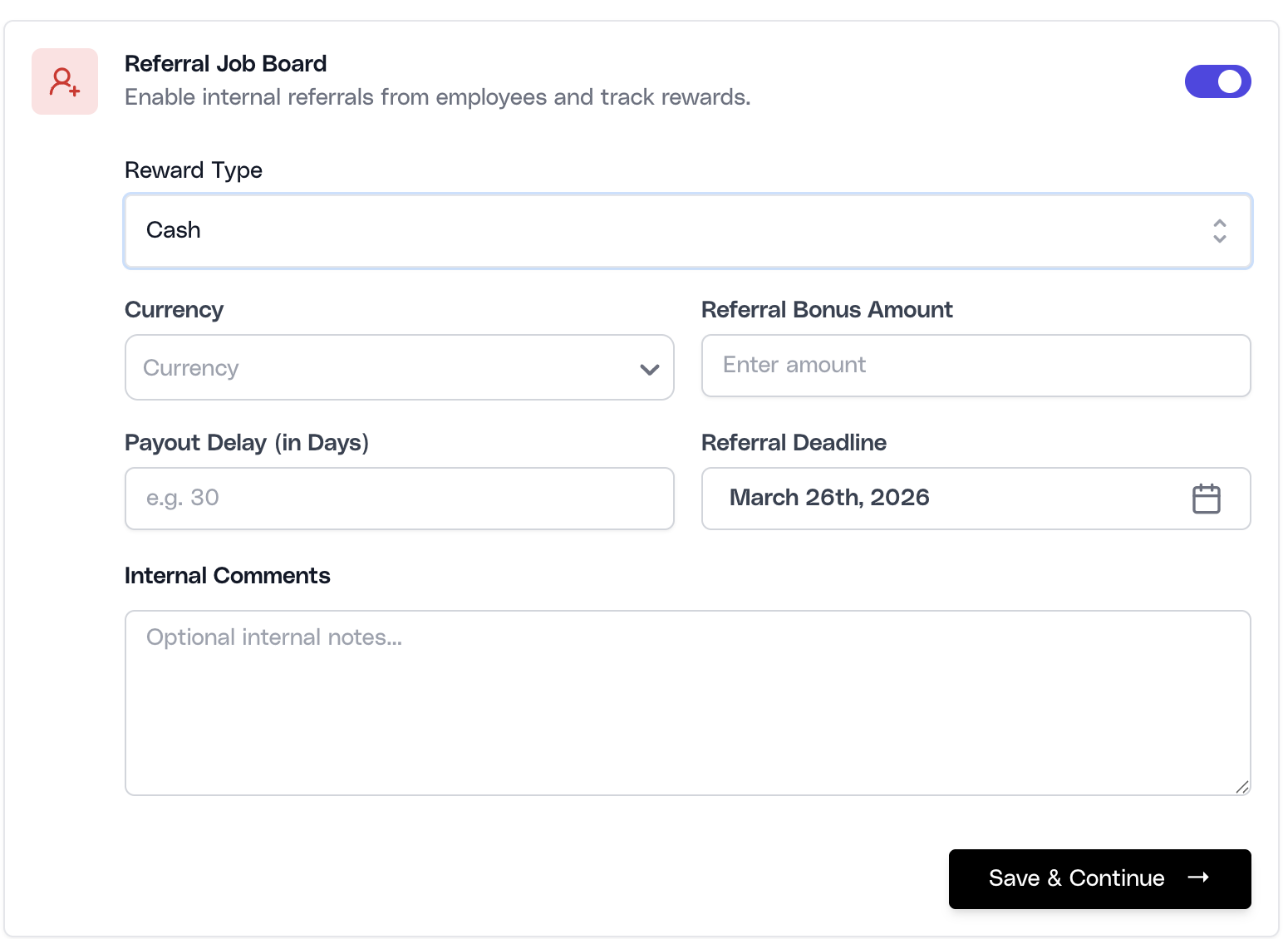
The Cash model is the most explicit option. Recruiters define the currency, referral bonus amount, payout delay in days, referral deadline, and any internal comments. Use this when the organization has a real referral bonus program and needs employees to understand both the incentive and the payout window before they refer someone.
Use Other when the reward exists but is not a direct cash payout
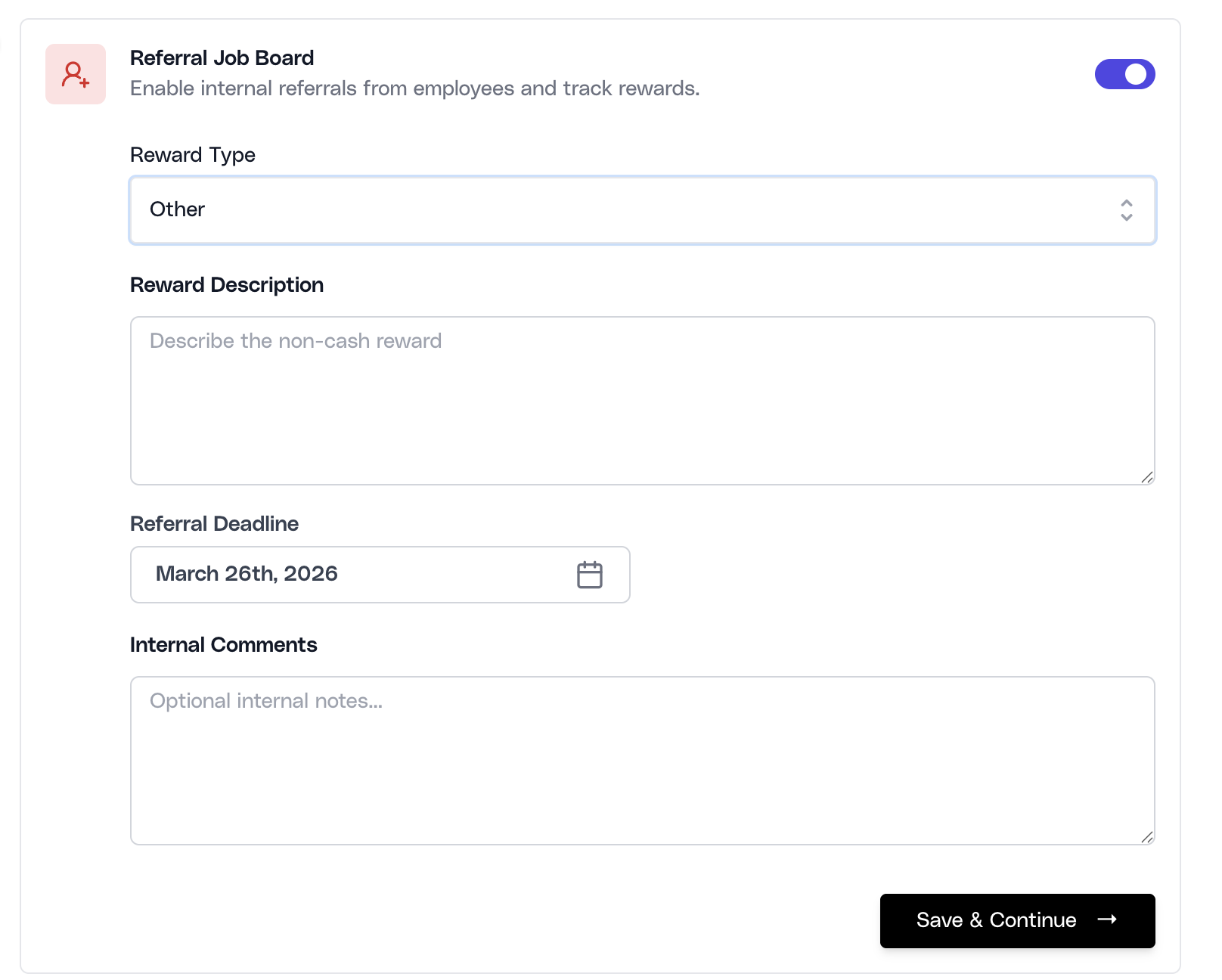
The Other model is appropriate when the referral program uses a non-cash incentive such as a voucher, experience reward, recognition program, or another company-specific benefit. In this mode, recruiters provide a reward description instead of a currency and bonus amount so employees know what they are referring toward without inventing their own interpretation.
Use None when referrals are encouraged but not incentivized
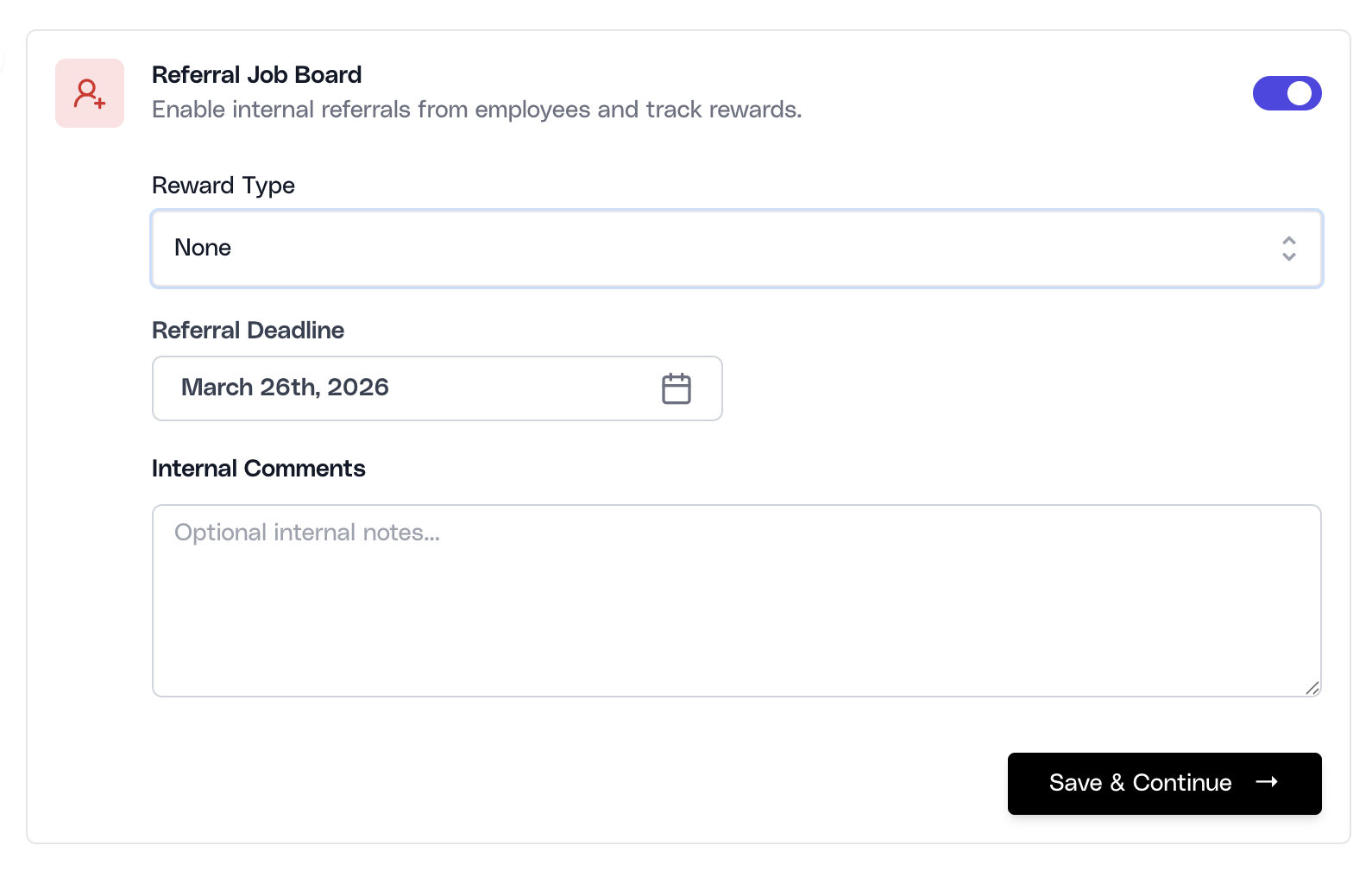
The None option keeps the channel open without promising a reward. This is useful when the company wants to activate employee networks for mission-critical hiring, community hiring, or culture-fit referrals without attaching a financial incentive. The job can still carry a referral deadline and internal comments, and employees can still refer candidates through the same flow.
Internal comments are recruiter-side instructions only. They are useful for team context, payout logic, or campaign notes, but they should not be treated as candidate-facing copy.
The current validation flow requires a reward type. Cash requires both amount and currency, Other requires a reward description, and the referral deadline cannot be set in the past.
How employees find and submit referrals
Once a job is referral-enabled, employees can discover it in the employee referral workspace rather than the recruiter administration area. The employee view is built for lightweight discovery: job list, basic role context, reward details, and a direct path into the referral submission experience.
Employees can review the job, inspect the reward and referral deadline, and open the job detail page before acting. From there, they use the referral card to start the submission process and upload the referred candidate resume.
The upload flow accepts PDF, DOC, and DOCX resumes and submits them with the EMPLOYEE_REFERRAL source type. This is important operationally because it preserves attribution. Recruiters can later distinguish employee-sourced candidates from direct applicants, recruiters, and vendors when reviewing pipeline mix and performance.
After a successful upload, Ovii confirms that the referral has been submitted for processing. Employees can then move to their My Referrals area to monitor the candidate after submission rather than repeatedly re-uploading the same profile.
- Employee action path: Browse referral-enabled jobs, open the job detail, click Start Referral, and upload the candidate resume.
- Duplicate protection: The backend prevents the same candidate from being referred to the same job more than once, which helps keep referral intake clean.
- Practical guidance: Employees should only refer candidates they can genuinely vouch for. A high-volume, low-context referral habit weakens the value of the channel and increases recruiter review load.
Track referral candidates after submission
After a referral is created, the candidate enters the same operational hiring system as any other source. The difference is that the record carries referral attribution, which lets both recruiters and employees understand where the candidate came from and how they are progressing.
Recruiters can see referral-sourced candidates in the candidate list and compare them with direct candidates, recruiter-sourced candidates, and other intake sources. Employees can use their referral tracking view to monitor the candidates they have submitted, with status filters and progress updates driven from the real job workflow.
This is where a mature referral program proves its value. The goal is not just to collect referrals, but to measure whether referred candidates are stronger, faster to progress, or more likely to convert than other sources.
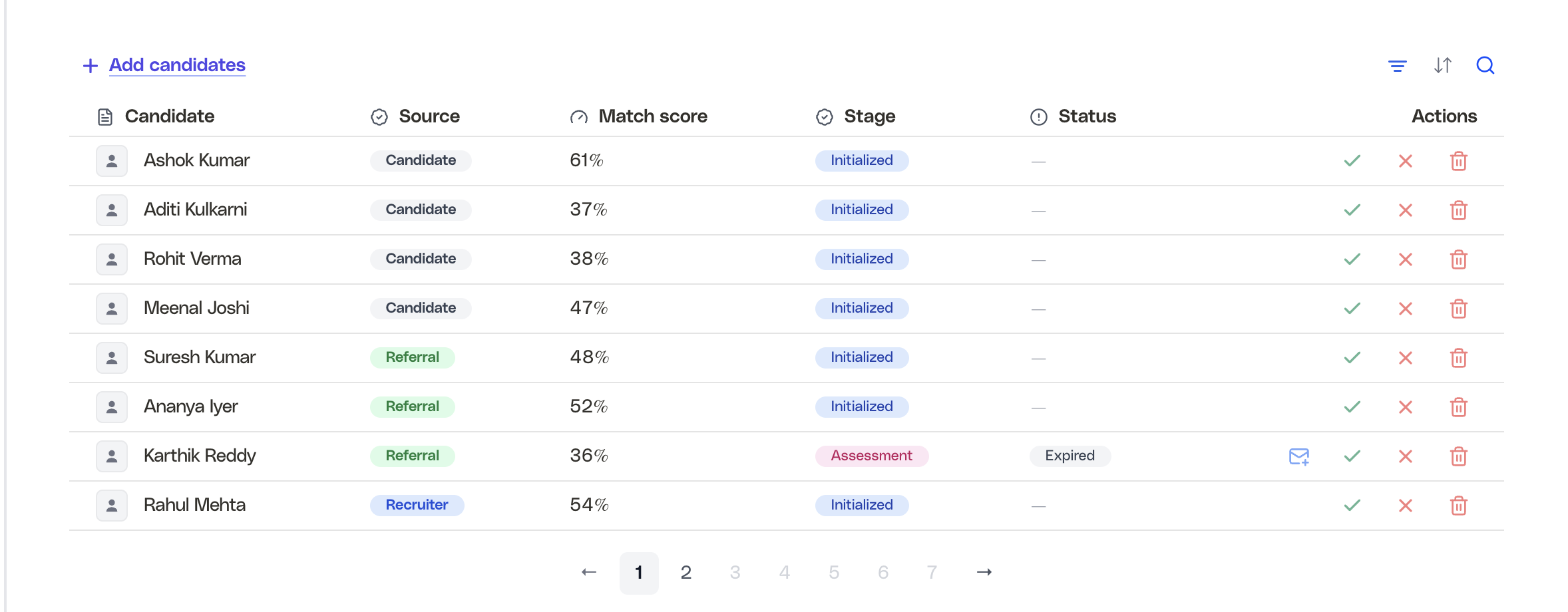
Review referral candidates in the hiring table
Referral attribution remains visible after submission, including source, match score, current stage, and status progression. This makes the referral channel measurable instead of anecdotal and allows hiring teams to decide whether the program is improving conversion quality or just increasing intake volume.
Governance for referrals
A referral channel should improve sourcing quality without weakening fairness. Referred candidates should still move through the same evaluation, stage logic, and decision standards used for everyone else.
Use rewards to activate trusted networks, not to encourage blind submissions. The best referral programs tell employees what kind of candidate to refer, what the reward structure actually means, and when the campaign closes.
- Do not bypass evaluation: Referral trust is useful, but it is not evidence of fit. Use the same feedback forms, assessments, and pipeline rules you would apply to any serious candidate.
- Keep deadlines real: A referral deadline should reflect a real campaign window. Leaving old incentives active creates confusion and stale submissions.
- Use reward language carefully: Only publish reward structures the business is actually prepared to honor. Employees treat referral rewards as policy, not suggestion.
- Measure source quality: Track whether referrals outperform other sources on shortlist rate, progression speed, and hire outcomes before scaling the program aggressively.