JD Review
Copy Article URL
Use this guide to understand how Ovii evaluates a job description, why each review criterion exists, and how to use the score, benchmark, and enhanced rewrite before publishing.
What JD Review does in Ovii
JD Review is Ovii’s quality-control layer for the narrative part of job creation. It does not simply check grammar. It evaluates whether the description is complete, understandable, candidate-friendly, aligned to the role level, and strong enough to represent the company well once the job is live.
That matters because the job description becomes a downstream source of truth. It influences candidate self-selection, recruiter alignment, approver confidence, search discoverability, and the overall quality of the applications you receive.
In the create-job flow, the recruiter must enter a job title, job category, and job description before JD Review can run. Those fields are the minimum context required to produce a meaningful evaluation.
What the review engine reads before it scores
The backend prompt does not review the description in isolation. Ovii sends structured job context together with the recruiter-written JD so the analysis is role-aware rather than generic.
That means the review is grounded in the title, job category, experience band, location, pay context, and employment setup you selected in the form. This helps the engine judge whether the narrative actually fits the role you are trying to hire for.
- Job title and job category: These establish the functional domain of the role. A strong JD for a product manager should not be scored like a backend engineer or sales recruiter.
- Experience range: Ovii uses the minimum and maximum experience values to test whether the description sounds too junior, too senior, or appropriately scoped for the role level.
- Employment type and work context: Employment type, country, city, and timezone help the review judge whether expectations and working conditions are explained clearly enough for the likely candidate audience.
- Salary range and currency: Compensation context helps the engine assess transparency. A JD that avoids pay context entirely can create avoidable ambiguity even if the prose is otherwise polished.
- The recruiter-written job description itself: This remains the main input. Ovii analyzes the actual wording, structure, tone, omissions, and candidate-facing clarity of the JD you entered.
Read the overview and benchmark before editing
Start with the top summary card in the JD Review drawer. Ovii returns an overall score and a benchmark comparison against similar roles. This is the fastest way to understand whether the JD is broadly healthy or whether it still has structural weaknesses that should be addressed before publishing.
The benchmark is comparative rather than absolute. It tells you how the current JD stands relative to similar jobs, levels, and contexts, not whether the job is automatically ready to go live. A score close to the benchmark may still require edits if the wrong sections are missing or if the role is not represented accurately.
Start with the overall score and relative benchmark
Use the JD Score to judge overall quality and the benchmark card to understand how the description compares with similar roles. Treat this as an orientation step: it tells you where the JD stands before you work through the specific dimensions below.
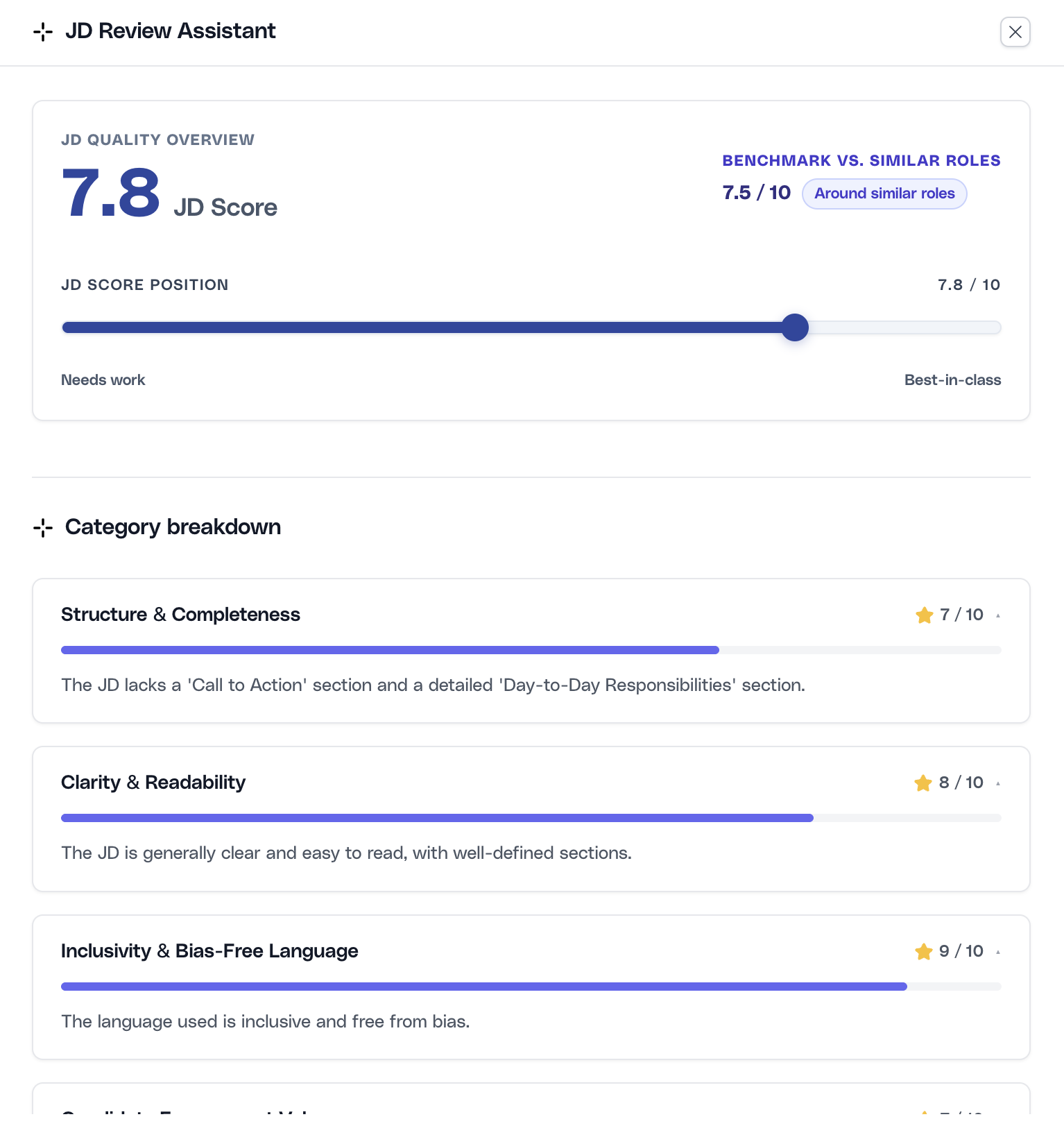
Ovii calculates the overall score as a weighted average, not a simple mean. Structure, clarity, and inclusivity carry the highest weight because they most directly affect comprehension, candidate quality, and risk.
Why Ovii uses these 10 JD review criteria
The scoring model is opinionated on purpose. Ovii does not treat every JD trait as equally important. The framework is weighted toward the signals that most reliably improve candidate understanding and reduce hiring friction.
In practice, that means the system rewards complete structure, clear writing, and inclusive language more heavily than cosmetic polish. Lower-weight dimensions still matter, but they should not override the fundamentals of a usable job description.
- Structure & Completeness (15%): A JD must contain the core ingredients candidates and reviewers need: role context, responsibilities, qualifications, and a clear next step. Missing sections create ambiguity and weaken every downstream workflow.
- Clarity & Readability (15%): Strong candidates do not spend time decoding dense or vague writing. Clear language improves comprehension, reduces drop-off, and makes the role easier to assess quickly.
- Inclusivity & Bias-Free Language (15%): Exclusionary or coded phrasing narrows the pool unnecessarily. This criterion exists to widen access for qualified candidates and reduce avoidable language risk.
- Candidate Engagement Value (10%): A task list alone is not enough. Good candidates want to understand why the role matters, what success looks like, and why it is worth considering.
- Transparency & Tone (10%): The JD should set honest expectations about the role, working style, and employer tone. Overhype or evasive language tends to create mismatched applications.
- Relevance to Role & Seniority (10%): The title, responsibilities, and experience range must describe the same job. This criterion protects against seniority mismatches and template drift.
- Employer Branding & EVP (10%): Candidates assess the company while evaluating the role. A JD with no sense of company values, mission, or reason to join is less competitive in the market.
- Tone & Language Consistency (5%): A JD that shifts between casual, corporate, and overly aggressive language feels unedited. Consistency helps the role feel intentional and trustworthy.
- SEO & Keyword Optimization (5%): Discoverability still matters. Relevant job keywords improve searchability, indexing, and alignment with the way candidates search for roles.
- Problematic / Red-Flag Phrases (5%): This criterion exists to catch phrases that erode trust or create legal, ethical, or candidate-experience risk, including hype-heavy language, vague pressure cues, or unprofessional wording.
Work through the category breakdown methodically
After the overview, use the category cards to see where the JD is weak and why. The current drawer surfaces the category name, score, and reasons. This is usually enough to identify whether the issue is missing content, poor wording, weak positioning, or a mismatch between the role and the narrative.
Use lower-scoring categories as the priority order for edits. In most cases, you should fix structure and clarity issues before polishing SEO or employer-brand phrasing. That sequencing creates a better JD faster.
Prioritize the weakest categories first
Review the category scores from lowest to highest. If structure, SEO, or engagement are weak, fix the underlying content gaps before making cosmetic wording changes. The goal is not to chase a number but to improve the JD where it most affects candidate quality.
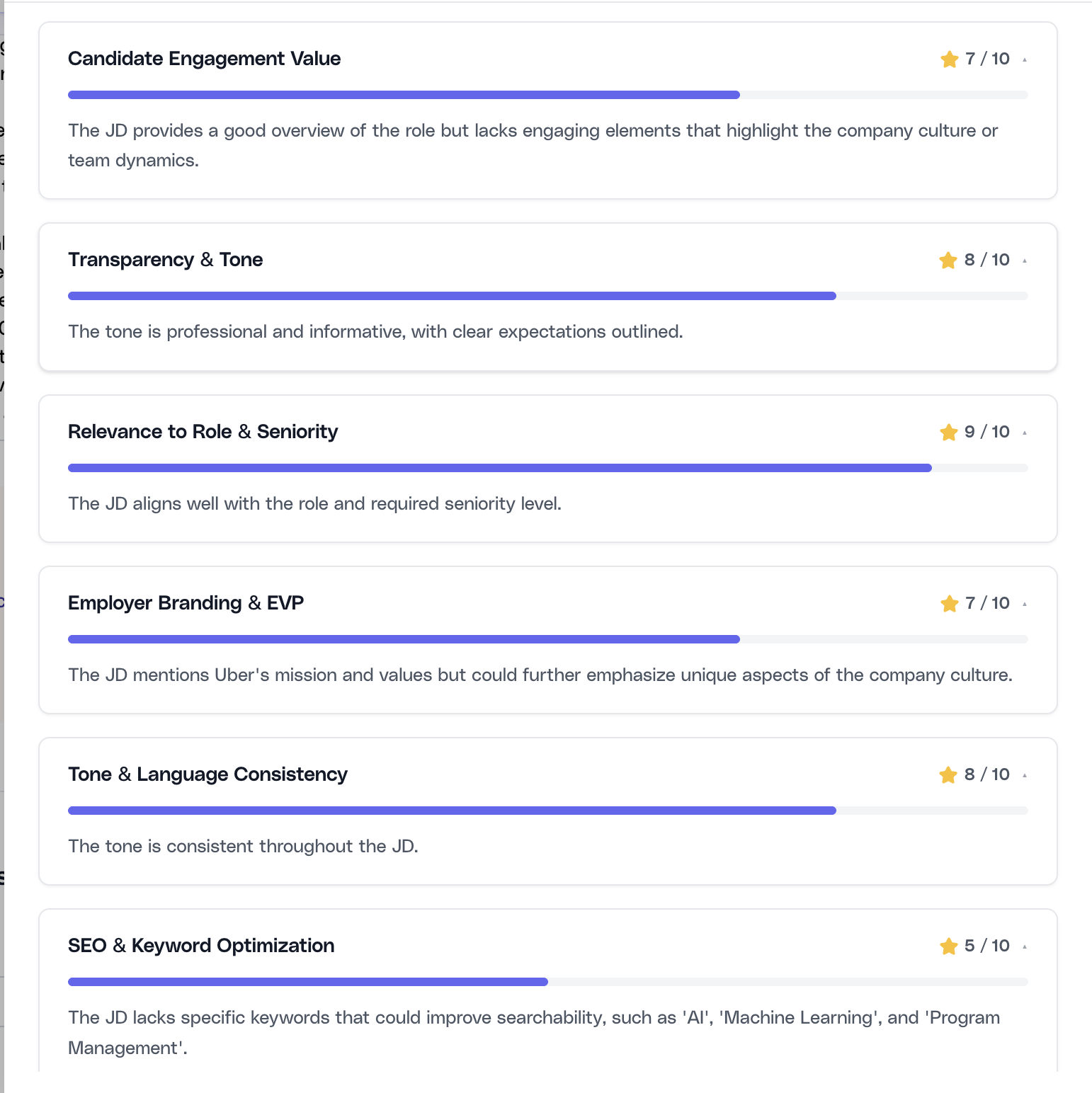
The prompt requires all 10 categories to be returned every time, even when a category performs well. That makes the review more reliable because the recruiter can compare strengths and weaknesses across the full framework instead of seeing only error states.
Use the enhanced JD as a rewrite draft, not an auto-publish step
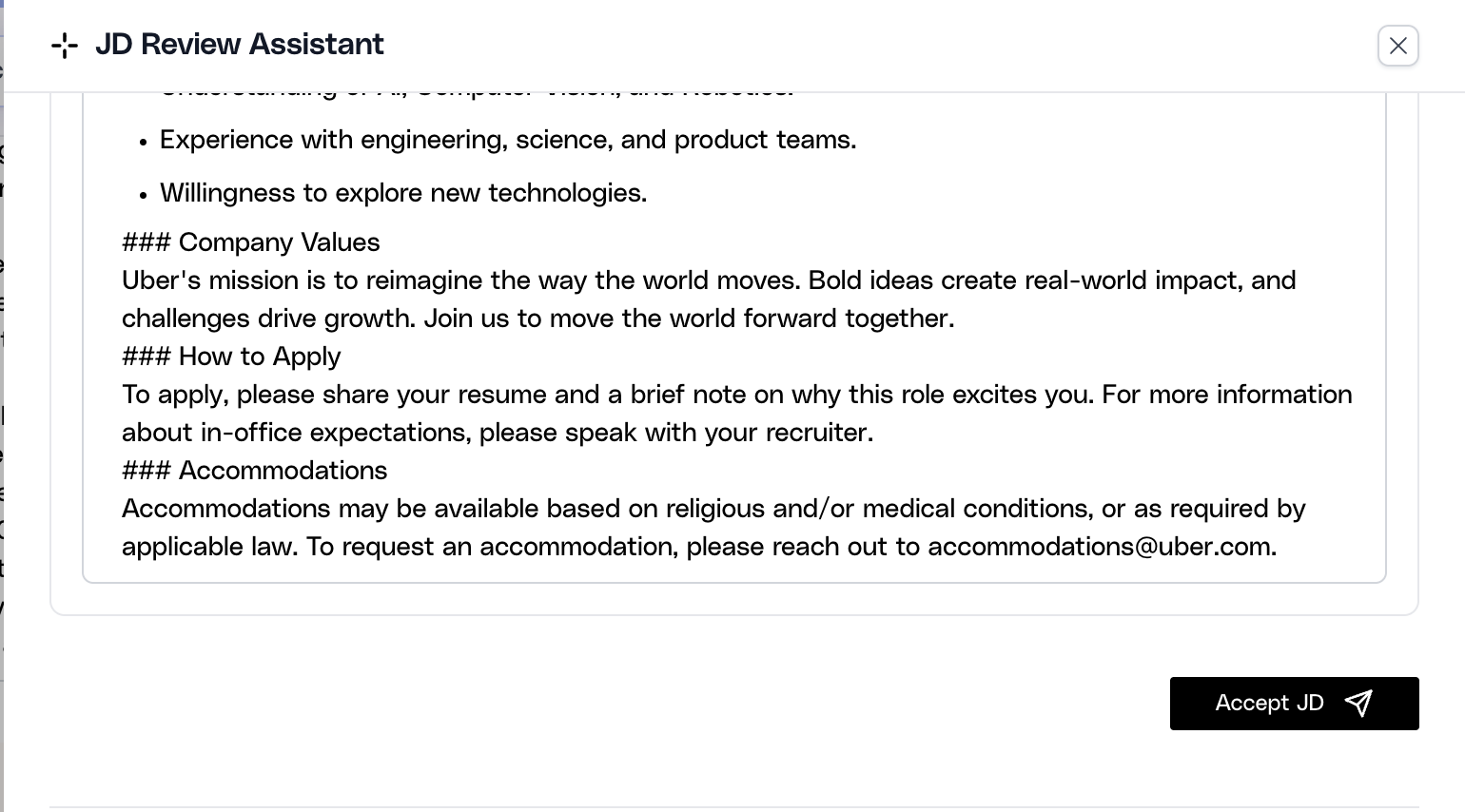
When the review completes, Ovii can return an enhanced JD that synthesizes the feedback into a more structured rewrite. This is useful when the original draft is directionally correct but uneven in structure, clarity, or completeness.
The rewritten version is still a draft for recruiter review. Accepting it writes the enhanced text back into the job-description editor, but it does not replace the need to verify business accuracy, internal policy alignment, or role-specific details that only the hiring team can confirm.
Review the rewritten JD before accepting it into the form
Read the enhanced JD from top to bottom before using Accept JD. Confirm that the rewrite preserved the real responsibilities, requirements, level, benefits, and company positioning. If the structure improved but the facts drifted, edit the content before moving forward.
Where human judgment still matters
JD Review can improve language quality, structure, and market readiness, but it should not replace recruiter or hiring-manager ownership. The AI can propose stronger wording, yet the business still needs to validate whether the role, scope, interview expectations, approvals, and application routing are correct.
The best use of the tool is disciplined human review after AI assistance. Let the engine surface missing sections, bias risk, readability issues, and weak positioning, then make final publishing decisions with the hiring team’s context in mind.
Use JD Review to strengthen the description. Use Salary Benchmark and related compensation tools separately to validate pay positioning. They support one another, but they do not answer the same question.
A higher JD score should increase your confidence in the writing quality of the role, not eliminate the need for approval, policy review, or recruiter judgment.