Assessment Studio
Copy Article URL
Assessment Studio is Ovii’s LaTeX-native authoring workspace for assessment content. Use it when the default pre-authored question bank is not enough for your company, role family, or evaluation philosophy and you need your own reusable MCQ, coding, or comprehension assets.
What challenges Assessment Studio solves
Assessment Studio solves a common enterprise hiring problem: the default assessment library is useful, but it cannot fully represent every company’s domain language, evaluation philosophy, or role-specific depth. High-signal hiring teams eventually need their own assessment assets without losing structure or reusability.
That is why this module should be understood as a content-authoring workspace, not just a question form. It gives recruiters a controlled place to build company-specific assessment content that can later be reused across multiple live assessments and job workflows.
A second problem it solves is authoring fidelity. Technical and quantitative questions are often weakened when editors cannot handle mathematical notation, structured formatting, or rich explanatory content. Ovii avoids that compromise by using a LaTeX-native authoring experience with rich editing support instead of forcing authors into plain text.
- Start from proven defaults when you can: Ovii includes a pre-authored question bank so teams do not need to author everything from scratch.
- Extend only where your company needs control: Assessment Studio lets you create company-specific subjects and questions when a role, domain, or hiring standard requires custom content.
- Author with technical fidelity: The editor supports structured content, code-friendly authoring, and LaTeX math blocks so technical questions stay readable and precise.
- Reuse authored content across jobs: The goal is not one-off question creation. The goal is to build a durable company bank that can be reused inside future assessments.
Understand how the default and company banks work together
Assessment Studio should be positioned as the custom layer on top of Ovii’s default pre-authored bank. Your team can rely on the default library for broad coverage and then create company-specific content only where the role needs a different lens, deeper specialization, or proprietary context.
Under the hood, recruiter-authored subjects are stored under an auto-generated company-specific domain. That means custom content belongs to your company scope, stays logically separated from the shared default library, and can still be surfaced later alongside broader question-bank content when assessments are assembled.
This is an important product story for marketing and onboarding. Ovii gives teams a fast starting point through the default library, but it also gives serious hiring organizations the control to build their own bank when standard content is not enough.
Assessment Studio is the authoring surface for company-specific content. The default Ovii question bank remains available as the faster starting point when a company does not need custom authorship.
Create subjects before you author questions
Subject creation is the first structural step in Assessment Studio. MCQ, coding, and comprehension content all expect a subject to exist first, because subjects are the organizing layer that keeps company-authored content searchable, reusable, and easy to select later.
In practice, subjects should reflect durable hiring categories rather than one-off job titles. Think in terms such as Data Structures, Financial Analysis, Systems Design, QA Automation, or Customer Support Writing rather than creating a new subject for every requisition.
- Company setup is required first: If the recruiter does not yet have a company profile, Ovii blocks authoring and routes the user to company setup before content can be created.
- Subjects are shared assets: Once created, the same subject can be used to organize multiple question types instead of recreating structure every time.
Create a company-specific subject
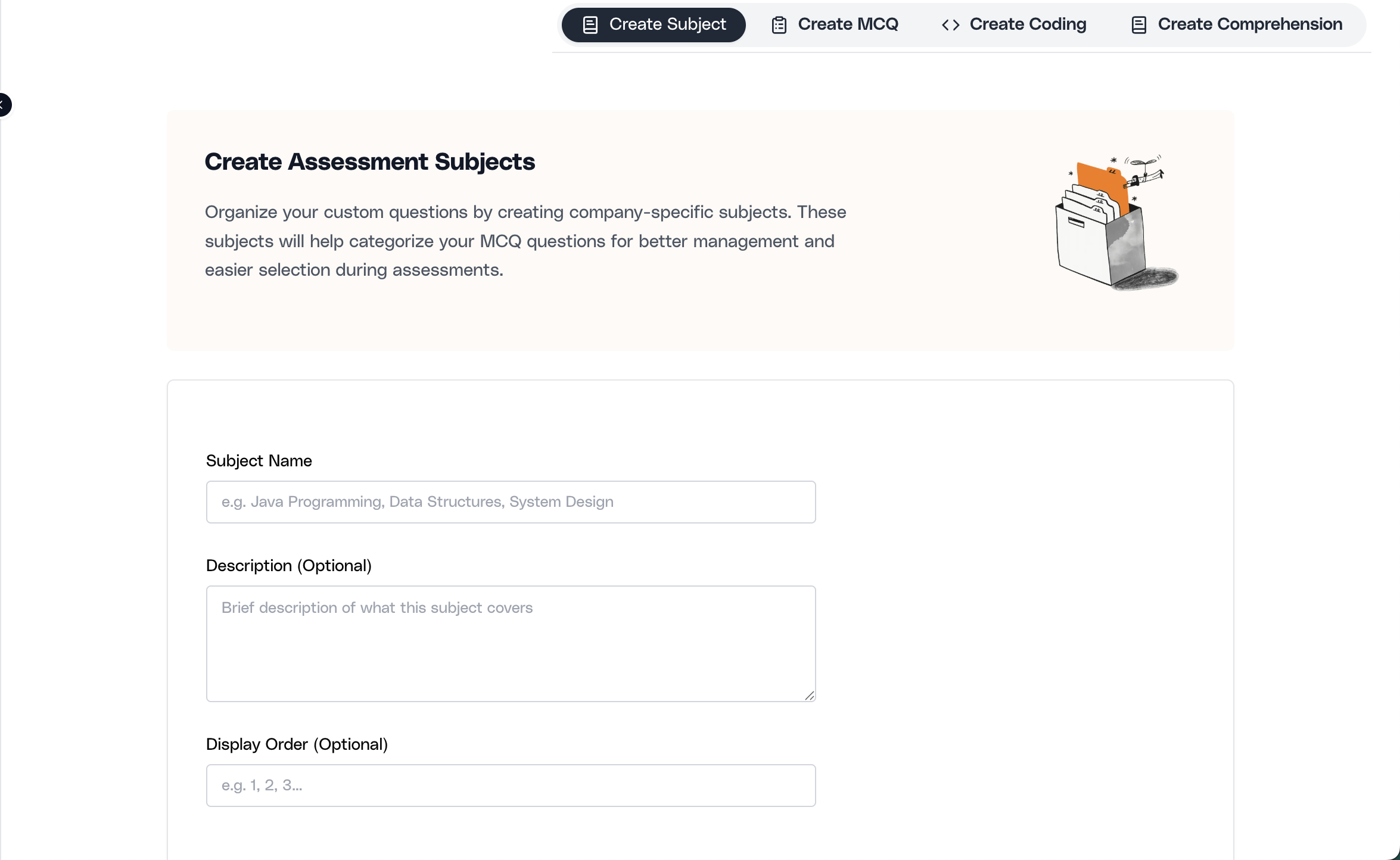
Open the Create Subject tab and define the subject name, optional description, and optional display order. This step creates a reusable category inside your company-specific domain, which later becomes the anchor for MCQs, coding questions, and comprehension passages.
Author MCQ content in a LaTeX-native editor
The MCQ flow is more than simple question-entry. It lets the team define question title, detailed statement, answer options, correct answer, explanation, attributes tested, time to solve, marks, tags, and difficulty in one structured path.
This is where the LaTeX-native positioning matters. Technical and quantitative MCQs often need equations, symbols, formatting emphasis, tables, code snippets, and rich layout. Ovii’s editor supports that style of authoring directly, so the authored version is closer to what candidates should actually see.
For enterprise teams, this matters because a good question is not only about correctness. It is also about clarity, candidate readability, and whether the assessment is measuring the intended skill without formatting distortion.
Write the question statement and answer choices
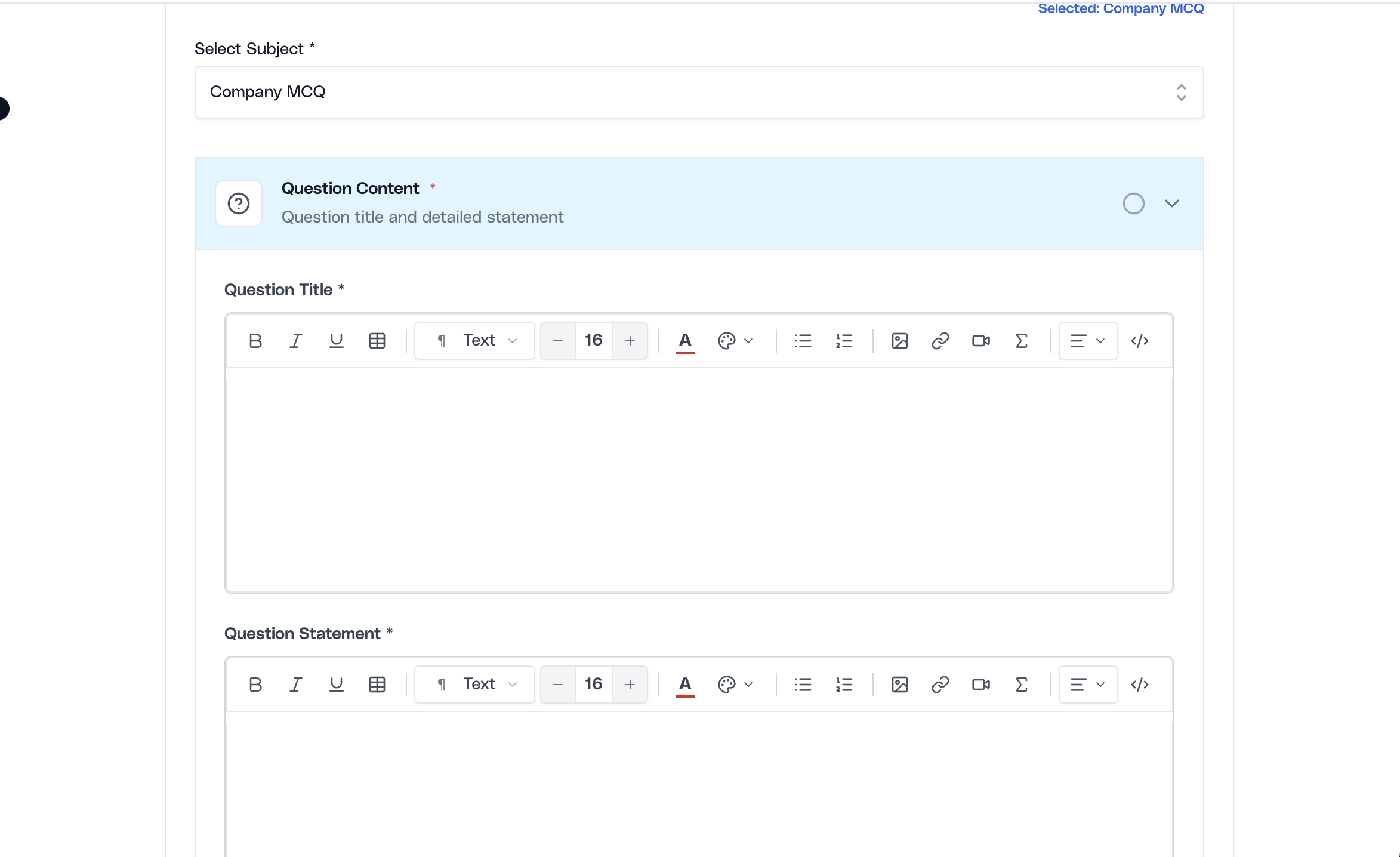
Select a subject first, then create the question title, full statement, four answer options, and the correct answer. The editor is designed for structured authoring and can handle rich content rather than forcing authors into a plain textarea.
Define scoring, difficulty, and evaluation context
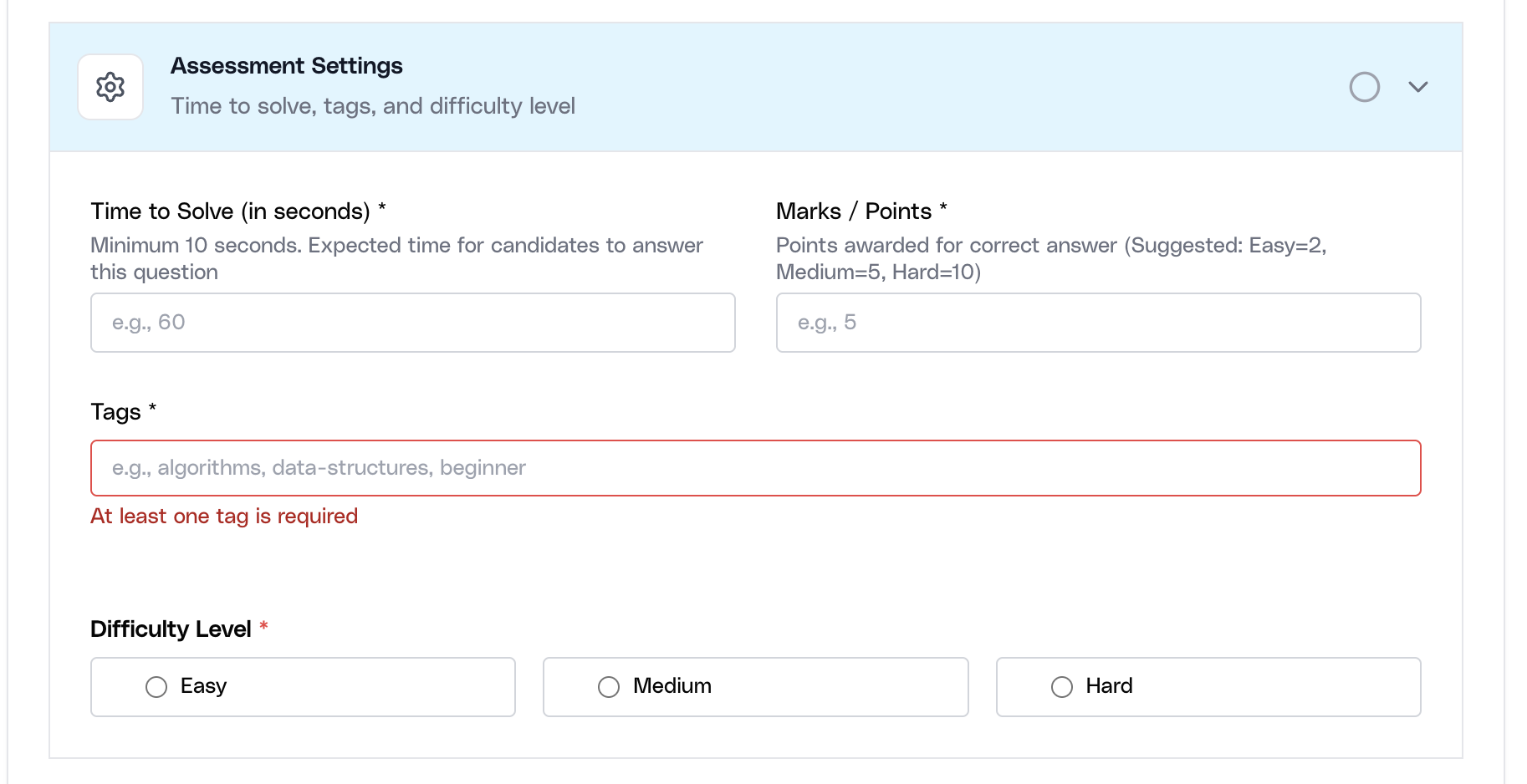
After the content is written, add marks, time to solve, tags, answer explanation, and attributes tested. These fields make the question usable in real assessments because they add scoring discipline and help future reviewers understand what skill the question was meant to evaluate.
Capture explanation and attributes tested
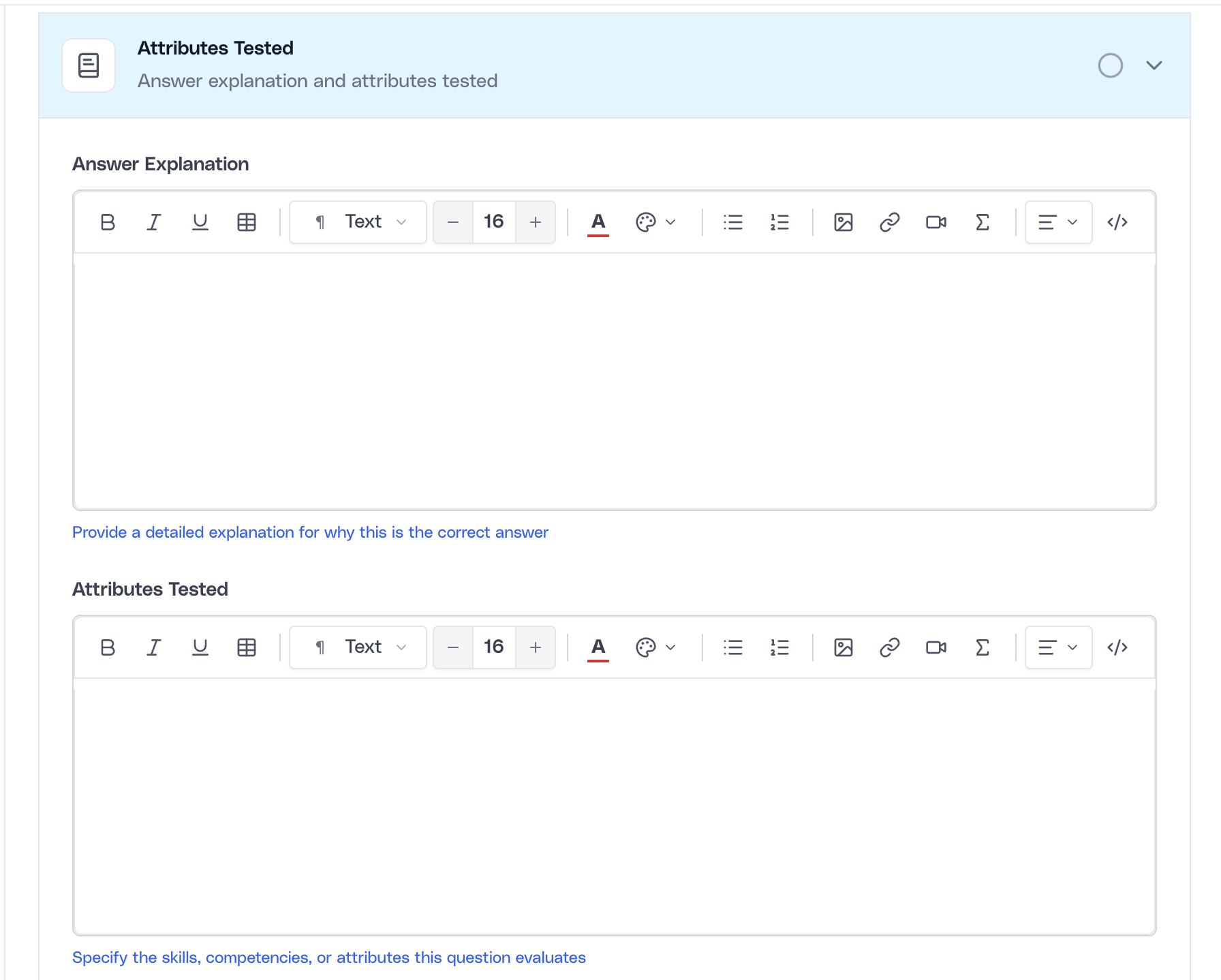
Use the explanation and attributes-tested areas to document why an answer is correct and what the question is intended to measure. This creates better reuse later because future recruiters and reviewers can understand the evaluation intent without reverse-engineering the question.
Author coding questions with structured settings
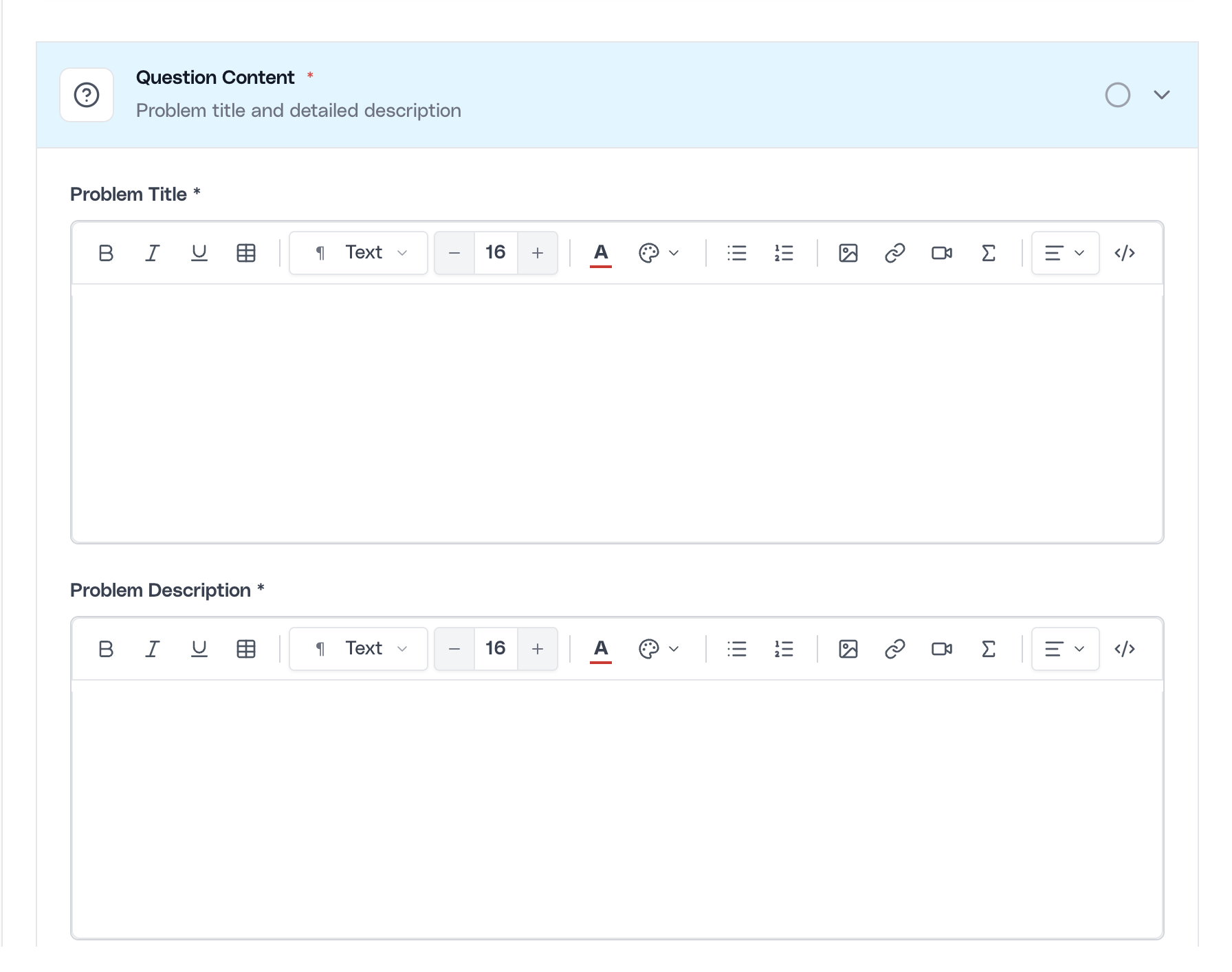
Coding authoring in Assessment Studio is built for real technical screening rather than toy prompts. Recruiters can define the problem title, full problem statement, supported programming languages, difficulty, time to complete, maximum marks, tags, explanation, attributes tested, and test cases.
This is another area where the studio should be marketed as a serious authoring environment. Coding prompts often need formatted constraints, mathematical notation, examples, code-friendly formatting, and explicit evaluation settings. A LaTeX-native editor helps preserve that precision while still supporting recruiter usability.
The workflow also encourages more disciplined authoring. A coding problem is not complete just because the statement exists. It becomes operational only when the team clarifies allowed languages, scoring, and evaluation context.
Draft the coding problem statement
Start with the problem title and the detailed statement. Use the rich editor for requirements, constraints, examples, and mathematical notation so the candidate-facing prompt remains technically accurate and readable.
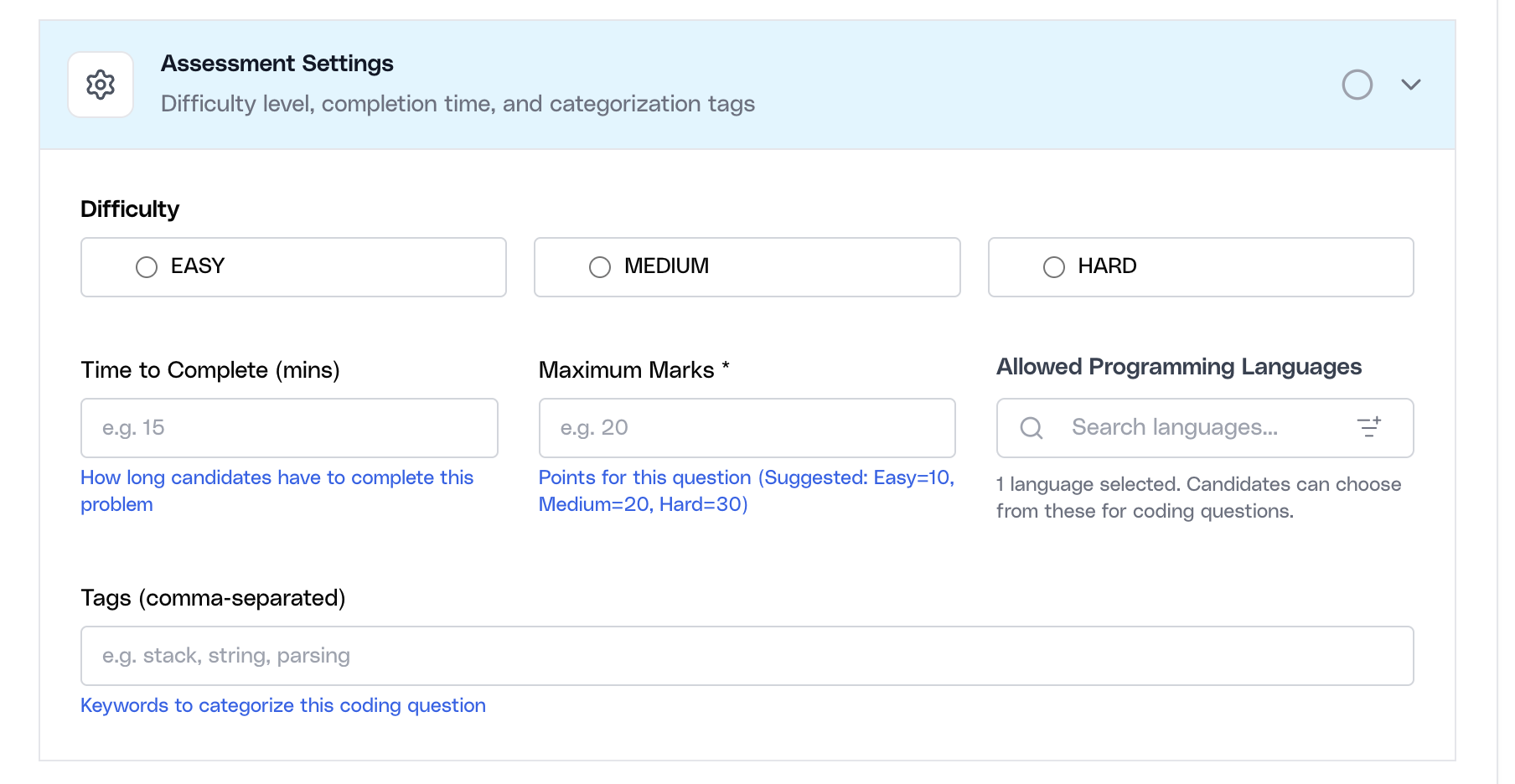
Set languages, difficulty, marks, and timing
Then define the allowed candidate languages, difficulty level, completion time, marks, and tags. These settings control how the question behaves when attached to a live assessment and help the team align effort, scoring, and expected complexity.
Coding authoring supports preview, so teams can inspect how the candidate attempt view will behave before they reuse the problem in a live assessment.
Build comprehension passages and linked questions
Comprehension authoring is designed for passage-first evaluation. Instead of isolated multiple-choice items, recruiters can create a reading passage and attach one or more linked questions that test interpretation, inference, accuracy, and reasoning.
This makes the module useful beyond verbal hiring alone. It can support campus screening, business reading evaluation, policy comprehension, customer-support review, and role-specific written reasoning where the candidate must process context before answering.
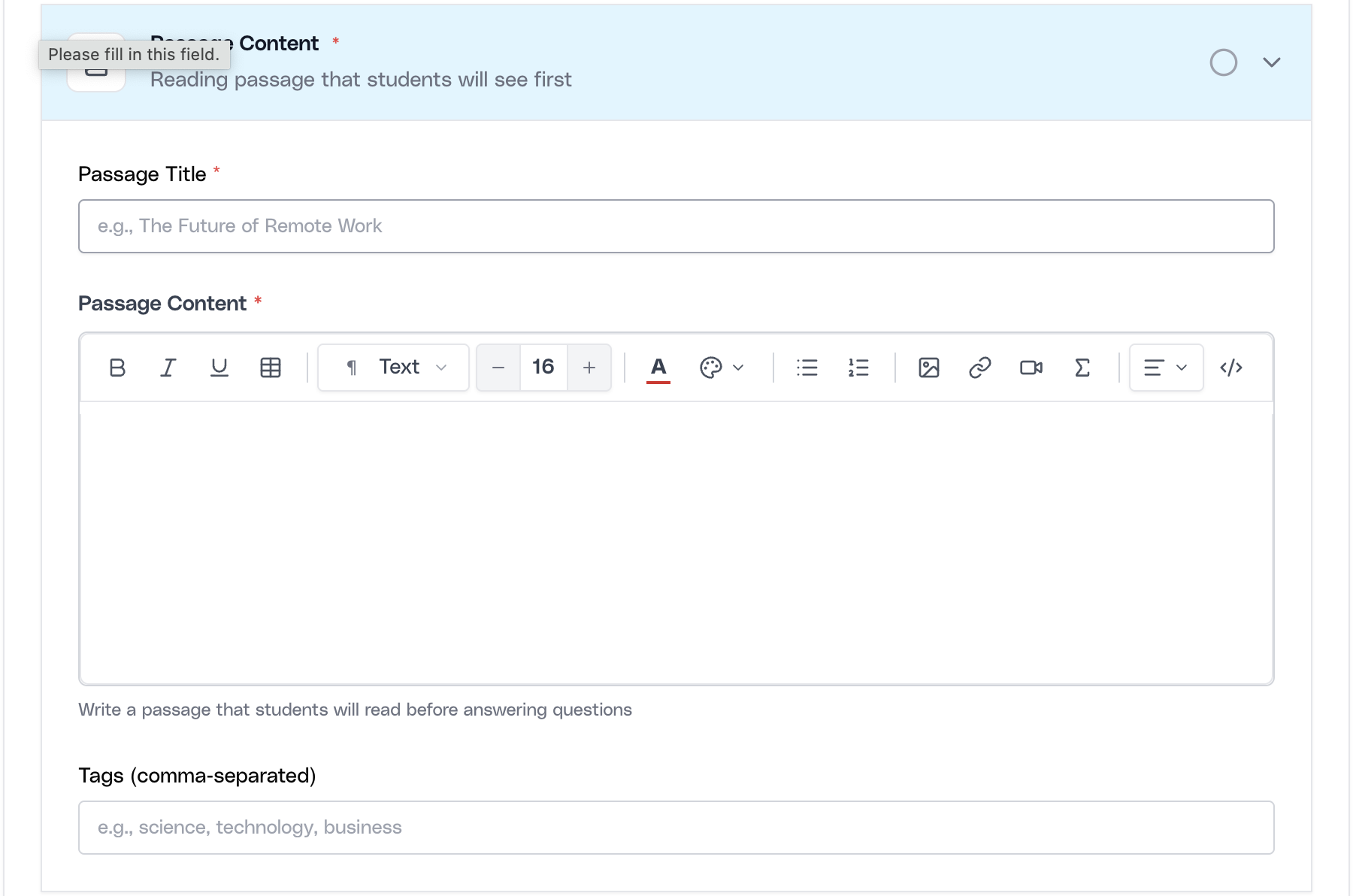
Create the passage and linked questions
Select a subject, write the passage title and content, and add the linked questions with answer options, correct answers, explanations, and marks. The authoring model is sequential because candidates first consume the passage and then respond to the related items.
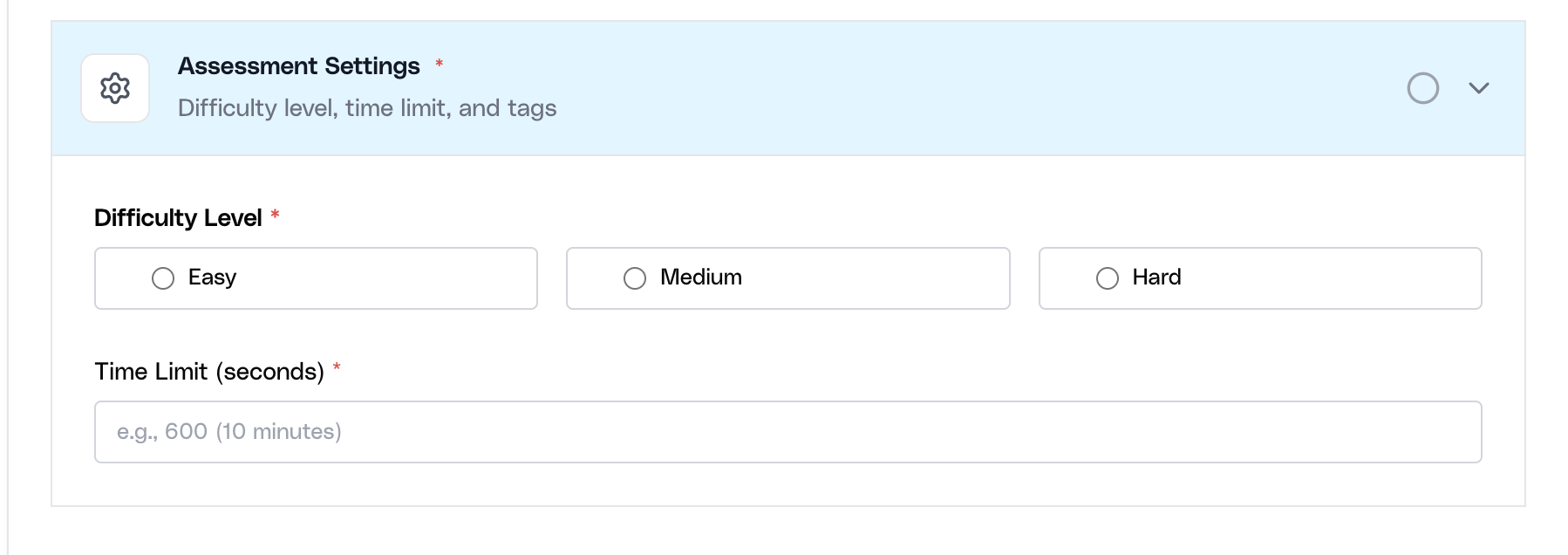
Set difficulty, time limit, and tags for the passage
After the passage and questions are in place, define the difficulty level, time limit, and tags. This keeps comprehension content reusable and makes it easier to align the passage with the right assessment type later.
Treat Assessment Studio as a reusable content system
The best enterprise use of Assessment Studio is not one-time authoring for a single requisition. It is ongoing content system building. Teams that use it well create stable subjects, maintain reusable question assets, and gradually extend the bank where the default pre-authored library does not fully fit.
That mindset keeps the content library clean and prevents duplication. Instead of recreating similar questions every time, the team improves the shared bank and reuses proven content in future assessments.
- Author once, reuse often: A good question should become a reusable company asset, not a one-off artifact buried inside one hiring cycle.
- Use the default bank for breadth: Rely on Ovii’s pre-authored library for baseline coverage when speed matters and custom nuance is not required.
- Use the company bank for differentiation: Author custom content when the role, domain, or evaluation philosophy needs something the default bank cannot fully express.